Commons:Translation possible/Learn more
Shortcut: COM:TPLM català | čeština | Deutsch | English | español | Esperanto | فارسی | français | galego | עברית | hrvatski | italiano | 日本語 | 한국어 | македонски | polski | português | русский | Tiếng Việt | 中文(繁體) | 中文(简体) | +/−

How to translate an SVG file[edit]
This page explains how to translate inside labels or captions in an SVG file. You are probably here because someone tagged an image with {{Translate}}. Please note that this template and its related pages is a one-man idea. If you have questions or comments about it, please use the template discussion page.
What is SVG?[edit]
SVG is an image file format that consists of plain XML text. Therefore the text labels stored in it can be easily translated. For more information about SVG or XML, please use the links. There are Wikipedia articles in many languages.
How do I edit SVGs?[edit]

There are different ways to translate text in SVG:
- Use a graphics editor such as Inkscape. For compatibility, save the file as "Plain SVG", not "Inkscape SVG", as the latter format may introduce errors, even though it complies with the SVG specification.
- Edit the SVG file as a text file.
For editing image in any offline editor, first download the file you want to edit, open the file in the editor, translate the labels, and then save it. When finished, upload the file to Commons under a new name.
Text editing[edit]
Note that instead of using a graphics editor, you can use any text editor capable of using UTF-8. Find text to translate by searching for <text> tags. In some cases this might be a path for more advanced users as text coordinates adjustments might be needed and some more advanced "garbage" might decrease readability of the SVG.
Preparing a file for translation[edit]
Using real text[edit]
Only real text, in the form of the SVG <text> element, can be translated. Do not use paths in place of text.
Anchoring the text correctly[edit]
To make sure text placement "just work" in the translated versions, you should properly use the anchoring functionality of the SVG format and your editor. In most editors (including Inkscape), the function is decided by the typographic alignment option. Anchoring decides how the position of the text is specified. Anchoring to the center means the coordinates specified is the center of the text, and is used in most editors for centering.
By saying "properly use", we mean that the way you anchor it matches the actual design intentions. For example, to center some text on a pyramid, you use the centering anchor while putting the anchor point itself at the middle of the shape. To position a label for something on its right, use the "end" (right-hand-side) anchor. The "align and distribute" option in Inkscape DOES NOT change your anchoring options; it only moves the elements around.
(Yes, the "end" anchor is only on the right for left-to-right languages. A translation tool should probably invert it for RTL languages.)
Using numbers instead of labels[edit]

On images with few labels, an alternative is to have only one file with numeric labels in it and a table below, with different translations, and there is thus a single image that can be used for all languages. Image:Robal.png is a good example.
If you think this image will be better with numbers instead of translated text, you can change {{Translate}} template to {{Convert to international}} or make numbers yourself.
For instance, Image:ISS configuration sep-2006 en.svg has English labels, and a version with numeric labels Image:ISS configuration sep-2006 numbers.svg was created by replacing the labels in the English version. But it's still not fully internationalized, because title and date are still written in the image in English.
How to place new language version in Commons[edit]
When creating a translated version of an SVG file, it should be saved using the filename of the original file with an IETF langtag suffix. See Commons:File naming. For example, File:Gibraltar map-en.svg is the English version of File:Gibraltar map.svg.
For linking different versions of file one to another, use "other versions" templates like all in Category:Other_versions_templates. Copy one of them and use in your image.
Using the template creates a gallery of the different language versions:
-
 català
 -
 Deutsch
 -
 English
 -
 English
 -
 English
 -
 español
 -
 français
 -
 italiano
 -
 magyar
 -
 Bahasa Melayu
 -
 polski
 -
 македонски
 -
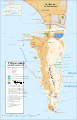 українська
 -
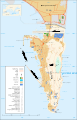 עברית
עברית -
 اردو
اردو


- Disputed isthmus and land
-
 English
 -
 español
 -
 español
 -
 español (claimed isthmus)
 -
 español (non Utrech territories)
 -
 español (reclaimed land)
 -
 galego


-es.svg)
-es.svg)
-es.svg)


Also the template {{Derived from}} will be useful to display link to original version of your localized image.
Multiple translations within one SVG file [edit]


You can place multiple translations into one SVG file using the SVG <switch> element. The resulting multilingual file has the advantage of sharing graphics; if the graphics are updated, then all the languages get the updated graphics. Compare to having several translated files; an update to one of the files does not propagate to the other language versions.
However, not all graphics editors can edit the text contained in the switch element. In such cases, a graphics editor may still be used to edit the text positions and sizes (such as in Inkscape), and the SVG Translate tool at Commons can be used to add translations, and most separate text editors can be used to make changes to the texts throughout the multiple languages. Loading an SVG file with switch translations into a graphics editor and then saving it may remove all the translations. Please note that currently multi-language translations in SVG files larger than 5MB do not render properly due to a bug.
It is advisable to give an extra margin for text contained in images with switch elements, in order to allow for current or future languages that need more letters.
Coding[edit]
When you have a <switch> element, its children (sub-elements) represent possible choices. The children of the switch should have a systemLanguage attribute that specifies the language(s).[1] SVG sequentially looks at each child; if there is a systemLanguage attribute and it does not match, SVG moves on to the next child. If the systemLanguage attribute matches or is not present, then SVG renders that child and does not look further. Omitting the systemLanguage attribute from the last child will implement a default rendering.
Note: The order is important! All children following the child with the omitted systemLanguage are ignored and have no effect!
<switch transform="translate(100,200)">
  <text systemLanguage="en">Population pyramid of Russia (2010)</text>
  <text systemLanguage="de">Alterspyramide von Russland (2010)</text>
  <text systemLanguage="ru">Половозрастная диаграмма России (2010)</text>
  <text>Population pyramid of Russia (2010)</text>
</switch>
Even if the default rendering is English, it is good practice to place an explicit systemLanguage="en" with the same text. The language matching rules can give unexpected behavior when the file is opened in a browser configured for multiple languages. If the languages do not follow the same sequence in each switch, then a browser may display a mix of languages. In addition, the language matching rules will change in SVG 2.0.
You can also have a systemLanguage attribute on an element that is not a child of a switch element. In this case the element will only be rendered if the language matches. Otherwise the element in question will not be displayed.
Currently, only a few graphical editors support language switches in SVG, so you may need to edit the SVG file with a text editor. The SVG Translate may be used if the SVG file follows specific conventions.
The different text translations will have different lengths, so the text anchor point should be chosen carefully. The text-anchor attribute can be set to start (left justified in most languages), middle (centered), or end (right justified). The text elements default to x="0" and y="0", so the switch element can set the text anchor point with transform="translate(100,200)".
When rendering a multi-lingual SVG image on a MediaWiki page, the language to use can be specified using syntax like [[File:SystemLanguage.svg|lang=de]].
The attribute "lang" is optional; if it is missing, MediaWiki will attempt to use the wiki's default language or fallback to English ("en").[2]
Note: If a switch element has an English-language clause (systemLanguage="en") and a default language clause (no systemLanguage attribute), then MediaWiki will display the English-language clause.
Setting up multiple translations within one SVG file with Inkscape[edit]
Inkscape does not support the addition of language switches, but they are recognized as a "Conditional Group". Editing with text editor is required. To start using the switch element in Inkscape, the following steps are:
- Always, in a new drawing, you need to add the two tags of
<switch>...</switch>. In a new drawing, or in a previous localized drawing, you will have to add the items (usually text to localize) between these two tags and withsystemLanguageassigned. - In drawings that use labels and arrows, it can often happen that (depending on the language) the labels and arrows position is not the most appropriate. You can correct it, after the previous step, directly with Inkscape. But if you need to change the text or arrows of a language that is not what Inkscape has configured, you must first change the Inkscape interface. To change the language of the Inkscape interface: from the menu bar, select "Edit|Preferences..."; then in the opened window, in the second group ("Interface") change the language. You can look at the code from the last example, above (SystemLanguageArrows.svg). Note: In the examples, the ID names of the objects have been changed in order to be followed more easily.
- For the previous changes, you must be careful about the changes you make, otherwise Inkscape will not show what you want. If this is the first time you do it, first try changing the examples above. Sometimes the Inkscape XML editor ("Edit|XML Editor...") can be useful for you to find an error in your changes.
Viewing[edit]
Most browsers support viewing SVG files with switch elements. The browser will display the languages according to the browser's default language settings. If one wants to view a different language, then change the language of the browser and restart it.
Another way of viewing the file is to upload it to File:Test.svg and select the desired language from the dropdown list.

See also[edit]
- German tutorial
- The 'switch' element W3C
- The 'systemLanguage' attribute W3C
- Example files using
<switch>element - SVG Processing: Efficient Language Translation by Bryan Schnabel, 2009 (Multiple file (XLIFF) rather than switch element approach.)
- Category:Language-neutral
Language codes[edit]
SVG files use IETF language tags to specify languages. They are often referred to as BCP 47 language tags, but BCP 47 is the combination of IETF RFC 5646 and RFC 4647. The Wikimedia Foundation uses language identifiers that usually match IETF langtags, but there are some differences. For example, the IETF language tag als is for Tosk Albanian, but Wikimedia uses that tag for Alemannisch (which IETF represents as gsw). Simple English is simple in Wikimedia but en-simple in IETF. Please be aware of the distinction and use IETF language tags (not MediaWiki language identifiers) in SVG files.
 | Uses Lua: |
| Code | Language name (in English) | Native language name |
|---|---|---|
| zgh-latn | tamaziɣt tanawayt | tamaziɣt tanawayt |
| nan-hant | 閩南語(傳統漢字) | 閩南語(傳統漢字) |
| ace | Achinese | Acèh |
| sma | Southern Sami | åarjelsaemien |
| ang | Old English | Ænglisc |
| af | Afrikaans | Afrikaans |
| agq | Aghem | Aghem |
| ak | Akan | Akan |
| gsw | Alemannic | Alemannisch |
| als | Alemannisch | Alemannisch |
| en-us | American English | American English |
| ase | American Sign Language | American sign language |
| smn | Inari Sami | anarâškielâ |
| an | Aragonese | aragonés |
| aae | Arbëresh | Arbërisht |
| rup | Aromanian | armãneashti |
| roa-rup | Aromanian | armãneashti |
| frp | Arpitan | arpetan |
| ast | Asturian | asturianu |
| atj | Atikamekw | Atikamekw |
| gn | Guarani | Avañe'ẽ |
| ay | Aymara | Aymar aru |
| az | Azerbaijani | azərbaycanca |
| ksf | Bafia | Bafia |
| bfd | Bafut | Bafut |
| abs | Ambonese Malay | bahasa ambon |
| gor | Gorontalo | Bahasa Hulontalo |
| id | Indonesian | Bahasa Indonesia |
| ms | Malay | Bahasa Melayu |
| bdr | West Coast Bajau | Bajau Sama |
| bkc | Baka | Baka |
| bkh | Bakako | Bakoko |
| bm | Bambara | bamanankan |
| bax | Bamun | Bamum |
| nan | Minnan | 閩南語 / Bân-lâm-gú |
| zh-min-nan | Minnan | Bân-lâm-gú |
| bjn | Banjar | Banjar |
| ban | Balinese | Basa Bali |
| map-bms | Basa Banyumasan | Basa Banyumasan |
| kge | Komering | Basa Kumoring |
| bug | Buginese | Basa Ugi |
| bas | Basaa | Basaa |
| btm | Batak Mandailing | Batak Mandailing |
| bbc | Batak Toba | Batak Toba |
| bbc-latn | Batak Toba (Latin script) | Batak Toba |
| bew | Betawi | Betawi |
| sje | Pite Sami | bidumsámegiella |
| bcl | Central Bikol | Bikol Central |
| bar | Bavarian | Boarisch |
| bi | Bislama | Bislama |
| bs | Bosnian | bosanski |
| brh | Brahui | Bráhuí |
| br | Breton | brezhoneg |
| en-gb | British English | British English |
| en-ca | Canadian English | Canadian English |
| cps | Capiznon | Capiceño |
| ca | Catalan | català |
| ceb | Cebuano | Cebuano |
| cs | Czech | čeština |
| cho | Choctaw | Chahta anumpa |
| ch | Chamorro | Chamoru |
| cbk-zam | Chavacano | Chavacano de Zamboanga |
| chn | Chinook Jargon | chinuk wawa |
| ny | Nyanja | Chi-Chewa |
| sn | Shona | chiShona |
| tum | Tumbuka | chiTumbuka |
| sei | Seri | Cmique Itom |
| co | Corsican | corsu |
| cy | Welsh | Cymraeg |
| dga | Dagaare | Dagaare |
| dag | Dagbani | dagbanli |
| da | Danish | dansk |
| se | Northern Sami | davvisámegiella |
| se-no | Northern Sami (Norway) | davvisámegiella (Norgga bealde) |
| se-se | Northern Sami (Sweden) | davvisámegiella (Ruoŧa bealde) |
| se-fi | Northern Sami (Finland) | davvisámegiella (Suoma bealde) |
| pdc | Pennsylvania German | Deitsch |
| de | German | Deutsch |
| de-formal | German (formal address) | Deutsch (Sie-Form) |
| nv | Navajo | Diné bizaad |
| dsb | Lower Sorbian | dolnoserbski |
| na | Nauru | Dorerin Naoero |
| dua | Duala | Duala |
| dtp | Central Dusun | Dusun Bundu-liwan |
| mh | Marshallese | Ebon |
| et | Estonian | eesti |
| efi | Efik | Efịk |
| etu | Ejagham | Ejagham |
| vmw | Makhuwa | emakhuwa |
| egl | Emilian | Emiliàn |
| eml | Emiliano-Romagnolo | emiliàn e rumagnòl |
| en | English | English |
| es | Spanish | español |
| es-formal | Spanish (formal address) | español (formal) |
| es-419 | Latin American Spanish | español de América Latina |
| eo | Esperanto | Esperanto |
| eu | Basque | euskara |
| ext | Extremaduran | estremeñu |
| eto | Eton | Eton |
| ee | Ewe | eʋegbe |
| ewo | Ewondo | Ewondo |
| wls | Wallisian | Fakaʻuvea |
| gur | Frafra | farefare |
| fmp | Fe'Fe' | Fe'fe |
| hif | Fiji Hindi | Fiji Hindi |
| hif-latn | Fiji Hindi (Latin script) | Fiji Hindi |
| fon | Fon | fɔ̀ngbè |
| fo | Faroese | føroyskt |
| fr | French | français |
| frc | Cajun French | français cadien |
| fy | Western Frisian | Frysk |
| ff | Fula | Fulfulde |
| fur | Friulian | furlan |
| gaa | Ga | Ga |
| ga | Irish | Gaeilge |
| gv | Manx | Gaelg |
| sm | Samoan | Gagana Samoa |
| gag | Gagauz | Gagauz |
| gd | Scottish Gaelic | Gàidhlig |
| gl | Galician | galego |
| aln | Gheg Albanian | Gegë |
| gya | Gbaya | Gbaya |
| gpe | Ghanaian Pidgin | Ghanaian Pidgin |
| bbj | Ghomala | Ghomála |
| ki | Kikuyu | Gĩkũyũ |
| gom-latn | Goan Konkani (Latin script) | Gõychi Konknni |
| guw | Gun | gungbe |
| cnh | Hakha-Chin | Hakha Chin |
| ha | Hausa | Hausa |
| haw | Hawaiian | Hawaiʻi |
| ho | Hiri Motu | Hiri Motu |
| hsb | Upper Sorbian | hornjoserbsce |
| hr | Croatian | hrvatski |
| hrx | Hunsrik | Hunsrik |
| ibb | Ibibio | ibibio |
| io | Ido | Ido |
| igl | Igala | Igala |
| ig | Igbo | Igbo |
| rw | Kinyarwanda | Ikinyarwanda |
| rn | Rundi | ikirundi |
| ilo | Iloko | Ilokano |
| hil | Hiligaynon | Ilonggo |
| ia | Interlingua | interlingua |
| ie | Interlingue | Interlingue |
| ike-latn | Eastern Canadian (Latin script) | inuktitut |
| ik | Inupiaq | Iñupiatun |
| bto | Iriga Bicolano | Iriga Bicolano |
| xh | Xhosa | isiXhosa |
| zu | Zulu | isiZulu |
| is | Icelandic | íslenska |
| isu | Isu | Isu |
| it | Italian | italiano |
| jv | Javanese | Jawa |
| smj | Lule Sami | julevsámegiella |
| jut | Jutish | jysk |
| rmf | Finnish Kalo | kaalengo tšimb |
| kbp | Kabiye | Kabɩyɛ |
| kea | Kabuverdianu | kabuverdianu |
| kl | Kalaallisut | kalaallisut |
| pam | Pampanga | Kapampangan |
| kr | Kanuri | kanuri |
| cak | Kaqchikel | Kaqchikel |
| kai | Karekare | Karai-karai |
| krl | Karelian | karjal |
| csb | Kashubian | kaszëbsczi |
| ker | Kera | Kera |
| kw | Cornish | kernowek |
| krj | Kinaray-a | Kinaray-a |
| sw | Swahili | Kiswahili |
| kiu | Kirmanjki | Kırmancki |
| bkm | Kom | Kom |
| kg | Kongo | Kongo |
| avk | Kotava | Kotava |
| ht | Haitian Creole | Kreyòl ayisyen |
| ses | Koyraboro Senni | Koyraboro Senni |
| kri | Krio | Krio |
| gcf | Guadeloupean Creole | kréyòl Gwadloup |
| gcr | Guianan Creole | kriyòl gwiyannen |
| ku | Kurdish | kurdî |
| ku-latn | Kurdish (Latin script) | kurdî (latînî) |
| kus | Kʋsaal | Kʋsaal |
| fkv | Kvensk | kvääni |
| kj | Kuanyama | Kwanyama |
| nmg | Kwasio | Kwasio |
| jbo | Lojban | la .lojban. |
| lld | Ladin | Ladin |
| lad | Ladino | Ladino |
| lns | Lamnso' | Lamnso |
| ltg | Latgalian | latgaļu |
| la | Latin | Latina |
| lv | Latvian | latviešu |
| lzz | Laz | Lazuri |
| to | Tongan | lea faka-Tonga |
| lb | Luxembourgish | Lëtzebuergesch |
| nia | Nias | Li Niha |
| li | Limburgish | Limburgs |
| lt | Lithuanian | lietuvių |
| lij | Ligurian | Ligure |
| ln | Lingala | lingála |
| lfn | Lingua Franca Nova | Lingua Franca Nova |
| liv | Livonian | Līvõ kēļ |
| olo | Livvi-Karelian | livvinkarjala |
| lmo | Lombard | lombard |
| lg | Ganda | Luganda |
| mad | Madurese | Madhurâ |
| hu | Hungarian | magyar |
| hu-formal | Hungarian (formal address) | magyar (formal) |
| vmf | Main-Franconian | Mainfränkisch |
| mcp | Maka | Maka |
| mg | Malagasy | Malagasy |
| mt | Maltese | Malti |
| mnc-latn | Manchu (Latin script) | manju gisun |
| mi | Māori | Māori |
| mrh | Mara | Mara |
| arn | Mapuche | mapudungun |
| srq | Sirionó | mbia cheë |
| fit | Tornedalen Finnish | meänkieli |
| byv | Medumba | Medumba |
| fat | Fanti | mfantse |
| min | Minangkabau | Minangkabau |
| cdo | Mindong | 閩東語 / Mìng-dĕ̤ng-ngṳ̄ |
| mwl | Mirandese | Mirandés |
| lus | Mizo | Mizo ţawng |
| bqz | Mka'a | Mka'a |
| mos | Mossi | moore |
| mua | Mundang | Mundang |
| mus | Muscogee | Mvskoke |
| fj | Fijian | Na Vosa Vakaviti |
| nah | Nāhuatl | Nāhuatl |
| pcm | Nigerian Pidgin | Naijá |
| nmz | Nawdm | nawdm |
| nap | Neapolitan | Napulitano |
| nnz | Nda'Nda' | Nda'nda |
| nl | Dutch | Nederlands |
| nl-informal | Dutch (informal address) | Nederlands (informeel) |
| nds-nl | Low Saxon | Nedersaksies |
| nnh | Ngiemboon | Ngiemboon |
| cr | Cree | Nēhiyawēwin / ᓀᐦᐃᔭᐍᐏᐣ |
| nla | Ngombala | Ngombala |
| nge | Ngémba | Ngémba |
| yrl | Nheengatu | Nhẽẽgatú |
| niu | Niuean | Niuē |
| lem | Nomaande | Nomaande |
| frr | Northern Frisian | Nordfriisk |
| pih | Norfuk / Pitkern | Norfuk / Pitkern |
| no | Norwegian | norsk |
| nb | Norwegian Bokmål | norsk bokmål |
| nn | Norwegian Nynorsk | norsk nynorsk |
| nrm | Norman | Nouormand |
| nov | Novial | Novial |
| yas | Nugunu | Nugunu |
| sms | Skolt Sami | nuõrttsääʹmǩiõll |
| nys | Nyungar | Nyunga |
| uz-latn | Uzbek (Latin script) | oʻzbekcha |
| uz | Uzbek | oʻzbekcha / ўзбекча |
| ann | Obolo | Obolo |
| oc | Occitan | occitan |
| ojb | Northwestern Ojibwa | Ojibwemowin |
| om | Oromo | Oromoo |
| nyo | Nyoro | Orunyoro |
| ttj | Tooro | Orutooro |
| ng | Ndonga | Oshiwambo |
| de-at | Austrian German | Österreichisches Deutsch |
| hz | Herero | Otsiherero |
| pfl | Palatine German | Pälzisch |
| pag | Pangasinan | Pangasinan |
| ami | Amis | Pangcah |
| pap | Papiamento | Papiamentu |
| pap-aw | Papiamento (Aruba) | Papiamento |
| jam | Jamaican Creole English | Patois |
| pcd | Picard | Picard |
| wes | Pidgin (Cameroon) | Pidgin (Cameroon) |
| pwn | Paiwan | pinayuanan |
| pms | Piedmontese | Piemontèis |
| nds | Low German | Plattdüütsch |
| pdt | Plautdietsch | Plautdietsch |
| cpx-latn | Pu-Xian Min (Latin script) | Pó-sing-gṳ̂ (Báⁿ-uā-ci̍) |
| pl | Polish | polski |
| pt | Portuguese | português |
| pt-br | Brazilian Portuguese | português do Brasil |
| prg | Prussian | prūsiskan |
| aa | Afar | Qafár af |
| kaa | Kara-Kalpak | Qaraqalpaqsha |
| quc | Kʼicheʼ | Qatzijob\ʼal |
| kk-latn | Kazakh (Latin script) | qazaqşa (latın) |
| kk-tr | Kazakh (Turkey) | qazaqşa (Türkïya) |
| crh | Crimean Tatar | qırımtatarca |
| crh-latn | Crimean Tatar (Latin script) | qırımtatarca (Latin) |
| ty | Tahitian | reo tahiti |
| ksh | Colognian | Ripoarisch |
| ro | Romanian | română |
| rmc | Carpathian Romani | romaňi čhib |
| rmy | Vlax Romani | romani čhib |
| rgn | Romagnol | Rumagnôl |
| rm | Romansh | rumantsch |
| qug | Chimborazo Highland Quichua | Runa shimi |
| qu | Quechua | Runa Simi |
| nyn | Nyankole | runyankore |
| xsy | Saisiyat | saisiyat |
| szy | Sakizaya | Sakizaya |
| sg | Sango | Sängö |
| sc | Sardinian | sardu |
| sro | Campidanese Sardinian | sardu campidanesu |
| sdc | Sassarese Sardinian | Sassaresu |
| sli | Lower Silesian | Schläsch |
| de-ch | Swiss High German | Schweizer Hochdeutsch |
| sco | Scots | Scots |
| trv | Taroko | Seediq |
| stq | Saterland Frisian | Seeltersk |
| st | Southern Sotho | Sesotho |
| nso | Northern Sotho | Sesotho sa Leboa |
| tn | Tswana | Setswana |
| scn | Sicilian | sicilianu |
| sq | Albanian | shqip |
| loz | Lozi | Silozi |
| simple | Simple English | Simple English |
| ss | Swati | SiSwati |
| sk | Slovak | slovenčina |
| sl | Slovenian | slovenščina |
| szl | Silesian | ślůnski |
| so | Somali | Soomaaliga |
| srn | Sranan Tongo | Sranantongo |
| sr-el | Serbian (Latin script) | srpski (latinica) |
| sh | Serbo-Croatian | srpskohrvatski / српскохрватски |
| sh-latn | Serbo-Croatian (Latin script) | srpskohrvatski (latinica) |
| su | Sundanese | Sunda |
| fi | Finnish | suomi |
| sv | Swedish | svenska |
| shy | Shawiya | tacawit |
| shy-latn | Shawiya (Latin script) | tacawit |
| kab | Kabyle | Taqbaylit |
| tl | Tagalog | Tagalog |
| roa-tara | Tarantino | tarandíne |
| rif | Riffian | Tarifit |
| shi | Tachelhit | Taclḥit |
| shi-latn | Tachelhit (Latin script) | Taclḥit |
| tt-latn | Tatar (Latin script) | tatarça |
| crh-ro | Dobrujan Tatar | tatarşa |
| tay | Tayal | Tayal |
| tet | Tetum | tetun |
| din | Dinka | Thuɔŋjäŋ |
| vi | Vietnamese | Tiếng Việt |
| tg-latn | Tajik (Latin script) | tojikī |
| tpi | Tok Pisin | Tok Pisin |
| tok | Toki Pona | toki pona |
| tly | Talysh | tolışi |
| chy | Cheyenne | Tsetsêhestâhese |
| ve | Venda | Tshivenda |
| bag | Tuki | Tuki |
| tvu | Tunen | Tunen |
| aeb-latn | Tunisian Arabic (Latin script) | Tûnsî |
| tr | Turkish | Türkçe |
| tk | Turkmen | Türkmençe |
| tru | Turoyo | Ṫuroyo |
| tw | Twi | Twi |
| kcg | Tyap | Tyap |
| sju | Ume Sami | ubmejesámiengiälla |
| ug-latn | Uyghur (Latin script) | Uyghurche |
| vot | Votic | Vaďďa |
| za | Zhuang | Vahcuengh |
| vec | Venetian | vèneto |
| vep | Veps | vepsän kel’ |
| ruq | Megleno-Romanian | Vlăheşte |
| ruq-latn | Megleno-Romanian (Latin script) | Vlăheşte |
| vo | Volapük | Volapük |
| vro | Võro | võro |
| fiu-vro | võro | võro |
| mcn | Massa | vùn màsànà |
| vut | Vute | Vute |
| wa | Walloon | walon |
| bci | Baoulé | wawle |
| guc | Wayuu | wayuunaiki |
| osa-latn | Osage (Latin script) | Wažáže íe |
| vls | West Flemish | West-Vlams |
| wal | Wolaytta | wolaytta |
| war | Waray | Winaray |
| wo | Wolof | Wolof |
| wya | Wyandot | Wyandot |
| ts | Tsonga | Xitsonga |
| yat | Yambeta | Yambeta |
| ybb | Yemba | Yemba |
| yav | Yangben | Yangben |
| yo | Yoruba | Yorùbá |
| diq | Zazaki | Zazaki |
| zea | Zeelandic | Zeêuws |
| sgs | Samogitian | žemaitėška |
| bat-smg | Samogitian | žemaitėška |
| grc | Ancient Greek | Ἀρχαία ἑλληνικὴ |
| el | Greek | Ελληνικά |
| pnt | Pontic | Ποντιακά |
| av | Avaric | авар |
| ady | Adyghe | адыгабзэ |
| ady-cyrl | Adyghe (Cyrillic script) | адыгабзэ |
| kbd | Kabardian | адыгэбзэ |
| kbd-cyrl | Kabardian (Cyrillic script) | адыгэбзэ |
| ab | Abkhazian | аԥсшәа |
| be-tarask | Belarusian (Taraškievica orthography) | беларуская (тарашкевіца) |
| alt | Southern Altai | алтай тил |
| ba | Bashkir | башҡортса |
| be | Belarusian | беларуская |
| be-x-old | Belarusian (Taraškievica orthography) | беларуская (тарашкевіца) |
| bxr | Russia Buriat | буряад |
| bg | Bulgarian | български |
| ruq-cyrl | Megleno-Romanian (Cyrillic script) | Влахесте |
| inh | Ingush | гӀалгӀай |
| os | Ossetic | ирон |
| sjd | Kildin Sami | кӣллт са̄мь кӣлл |
| kv | Komi | коми |
| krc | Karachay-Balkar | къарачай-малкъар |
| kum | Kumyk | къумукъ |
| crh-cyrl | Crimean Tatar (Cyrillic script) | къырымтатарджа (Кирилл) |
| ky | Kyrgyz | кыргызча |
| mrj | Western Mari | кырык мары |
| kk | Kazakh | қазақша |
| kk-cyrl | Kazakh (Cyrillic script) | қазақша (кирил) |
| kk-kz | Kazakh (Kazakhstan) | қазақша (Қазақстан) |
| lbe | Lak | лакку |
| lez | Lezghian | лезги |
| mdf | Moksha | мокшень |
| mk | Macedonian | македонски |
| mo | Moldovan | молдовеняскэ |
| mn | Mongolian | монгол |
| rut | Rutul | мыхаӀбишды |
| gld | Nanai | на̄ни |
| nog | Nogai | ногайша |
| ce | Chechen | нохчийн |
| mhr | Eastern Mari | олык марий |
| koi | Komi-Permyak | перем коми |
| rue | Rusyn | русиньскый |
| rsk | Pannonian Rusyn | руски |
| sah | Yakut | саха тыла |
| ru | Russian | русский |
| sty | Siberian Tatar | себертатар |
| cu | Church Slavic | словѣньскъ / ⰔⰎⰑⰂⰡⰐⰠⰔⰍⰟ |
| sr-ec | Serbian (Cyrillic script) | српски (ћирилица) |
| sr | Serbian | српски / srpski |
| sh-cyrl | Serbo-Croatian (Cyrillic script) | српскохрватски (ћирилица) |
| tt-cyrl | Tatar (Cyrillic script) | татарча |
| tt | Tatar | татарча / tatarça |
| tly-cyrl | Talysh (Cyrillic script) | толыши |
| tg-cyrl | Tajik (Cyrillic script) | тоҷикӣ |
| tg | Tajik | тоҷикӣ |
| tyv | Tuvinian | тыва дыл |
| udm | Udmurt | удмурт |
| uz-cyrl | Uzbek (Cyrillic script) | ўзбекча |
| uk | Ukrainian | українська |
| kjh | Khakas | хакас |
| myv | Erzya | эрзянь |
| xal | Kalmyk | хальмг |
| cv | Chuvash | чӑвашла |
| xmf | Mingrelian | მარგალური |
| ka | Georgian | ქართული |
| hyw | Western Armenian | Արեւմտահայերէն |
| hy | Armenian | հայերեն |
| anp | Angika | अंगिका |
| awa | Awadhi | अवधी |
| ks-deva | Kashmiri (Devanagari script) | कॉशुर |
| ks | Kashmiri | कॉशुर / کٲشُر |
| gom-deva | Goan Konkani (Devanagari script) | गोंयची कोंकणी |
| gom | Goan Konkani | गोंयची कोंकणी / Gõychi Konknni |
| dty | Doteli | डोटेली |
| new | Newari | नेपाल भाषा |
| ne | Nepali | नेपाली |
| pi | Pali | पालि |
| bho | Bhojpuri | भोजपुरी |
| bh | Bhojpuri | भोजपुरी |
| rwr | Marwari (India) | मारवाड़ी |
| mag | Magahi | मगही |
| mr | Marathi | मराठी |
| mai | Maithili | मैथिली |
| sa | Sanskrit | संस्कृतम् |
| hi | Hindi | हिन्दी |
| as | Assamese | অসমীয়া |
| bn | Bangla | বাংলা |
| bpy | Bishnupriya | বিষ্ণুপ্রিয়া মণিপুরী |
| pa | Punjabi | ਪੰਜਾਬੀ |
| syl | Sylheti | ꠍꠤꠟꠐꠤ |
| gu | Gujarati | ગુજરાતી |
| or | Odia | ଓଡ଼ିଆ |
| ta | Tamil | தமிழ் |
| kn | Kannada | ಕನ್ನಡ |
| nit | కొలామి | కొలామి |
| te | Telugu | తెలుగు |
| tcy | Tulu | ತುಳು |
| ml | Malayalam | മലയാളം |
| si | Sinhala | සිංහල |
| dz | Dzongkha | ཇོང་ཁ |
| bo | Tibetan | བོད་ཡིག |
| mni | Manipuri | ꯃꯤꯇꯩ ꯂꯣꯟ |
| ksw | S'gaw Karen | စှီၤ |
| blk | Pa'O | ပအိုဝ်ႏဘာႏသာႏ |
| kjp | Eastern Pwo | ဖၠုံလိက် |
| shn | Shan | ၽႃႇသႃႇတႆး |
| mnw | Mon | ဘာသာမန် |
| my | Burmese | မြန်မာဘာသာ |
| rki | Arakanese | ရခိုင် |
| km | Khmer | ភាសាខ្មែរ |
| lo | Lao | ລາວ |
| tdd | Tai Nuea | ᥖᥭᥰᥖᥬᥳᥑᥨᥒᥰ |
| nod | Northern Thai | ᨣᩤᩴᨾᩮᩬᩥᨦ |
| th | Thai | ไทย |
| ban-bali | Balinese (Balinese script) | ᬩᬲᬩᬮᬶ |
| sat | Santali | ᱥᱟᱱᱛᱟᱲᱤ |
| chr | Cherokee | ᏣᎳᎩ |
| ike-cans | Eastern Canadian (Aboriginal syllabics) | ᐃᓄᒃᑎᑐᑦ |
| iu | Inuktitut | ᐃᓄᒃᑎᑐᑦ / inuktitut |
| got | Gothic | 𐌲𐌿𐍄𐌹𐍃𐌺 |
| tzm | Central Atlas Tamazight | ⵜⴰⵎⴰⵣⵉⵖⵜ |
| zgh | Standard Moroccan Tamazight | ⵜⴰⵎⴰⵣⵉⵖⵜ ⵜⴰⵏⴰⵡⴰⵢⵜ |
| shi-tfng | Tachelhit (Tifinagh script) | ⵜⴰⵛⵍⵃⵉⵜ |
| ti | Tigrinya | ትግርኛ |
| am | Amharic | አማርኛ |
| ii | Sichuan Yi | ꆇꉙ |
| ko-kp | Korean (North Korea) | 조선말 |
| ko | Korean | 한국어 |
| ja | Japanese | 日本語 |
| ryu | Okinawan | 沖縄口 |
| zh | Chinese | 中文 |
| zh-cn | Chinese (China) | 中文(中国大陆) |
| zh-tw | Chinese (Taiwan) | 中文(臺灣) |
| zh-sg | Chinese (Singapore) | 中文(新加坡) |
| zh-mo | Chinese (Macau) | 中文(澳門) |
| zh-hans | Simplified Chinese | 中文(简体) |
| zh-hant | Traditional Chinese | 中文(繁體) |
| zh-hk | Chinese (Hong Kong) | 中文(香港) |
| zh-my | Chinese (Malaysia) | 中文(马来西亚) |
| wuu-hant | Wu (Traditional Han script) | 吳語(正體) |
| wuu | Wu | 吴语 |
| wuu-hans | Wu (Simplified Han script) | 吴语(简体) |
| hak | Hakka Chinese | 客家語/Hak-kâ-ngî |
| lzh | Literary Chinese | 文言 |
| zh-classical | Literary Chinese | 文言 |
| hsn | Xiang Chinese | 湘语 |
| yue | Cantonese | 粵語 |
| zh-yue | Cantonese | 粵語 |
| yue-hant | Cantonese (Traditional Han script) | 粵語(繁體) |
| yue-hans | Cantonese (Simplified Han script) | 粵语(简体) |
| cpx | Pu-Xian Min | 莆仙語 / Pó-sing-gṳ̂ |
| cpx-hant | Pu-Xian Min (Traditional Han script) | 莆仙語(繁體) |
| cpx-hans | Pu-Xian Min (Simplified Han script) | 莆仙语(简体) |
| gan-hans | Gan (Simplified Han script) | 赣语(简体) |
| gan | Gan | 贛語 |
| gan-hant | Gan (Traditional Han script) | 贛語(繁體) |
| nan-hani | Minnan (Han script) | 閩南語 |
| mnc-mong | Manchu (Mongolian script) | ᠮᠠᠨᠵᡠ ᡤᡳᠰᡠᠨ |
| mnc | Manchu | ᠮᠠᠨᠵᡠ ᡤᡳᠰᡠᠨ |
| he | Hebrew | עברית |
| yi | Yiddish | ייִדיש |
| ur | Urdu | اردو |
| ary | Moroccan Arabic | الدارجة |
| ar | Arabic | العربية |
| acm | Iraqi Arabic | عراقي |
| bqi | Bakhtiari | بختیاری |
| ms-arab | Malay (Jawi script) | بهاس ملايو |
| ps | Pashto | پښتو |
| pnb | Western Punjabi | پنجابی |
| aeb-arab | Tunisian Arabic (Arabic script) | تونسي |
| aeb | Tunisian Arabic | تونسي / Tûnsî |
| azb | South Azerbaijani | تۆرکجه |
| arq | Algerian Arabic | جازايرية |
| bcc | Southern Balochi | جهلسری بلوچی |
| bgn | Western Balochi | روچ کپتین بلوچی |
| skr | Saraiki | سرائیکی |
| skr-arab | Saraiki (Arabic script) | سرائیکی |
| sd | Sindhi | سنڌي |
| fa | Persian | فارسی |
| kk-arab | Kazakh (Arabic script) | قازاقشا (تٴوتە) |
| kk-cn | Kazakh (China) | قازاقشا (جۇنگو) |
| ku-arab | Kurdish (Arabic script) | كوردي (عەرەبی) |
| ks-arab | Kashmiri (Arabic script) | کٲشُر |
| khw | Khowar | کھوار |
| ckb | Central Kurdish | کوردی |
| sdh | Southern Kurdish | کوردی خوارگ |
| glk | Gilaki | گیلکی |
| ota | Ottoman Turkish | لسان عثمانى |
| luz | Southern Luri | لئری دوٙمینی |
| lrc | Northern Luri | لۊری شومالی |
| lki | Laki | لەکی |
| mzn | Mazanderani | مازِرونی |
| arz | Egyptian Arabic | مصرى |
| ug-arab | Uyghur (Arabic script) | ئۇيغۇرچە |
| hno | Northern Hindko | ہندکو |
| ug | Uyghur | ئۇيغۇرچە / Uyghurche |
| arc | Aramaic | ܐܪܡܝܐ |
| dv | Divehi | ދިވެހިބަސް |
| nqo | N’Ko | ߒߞߏ |
There are currently 538 supported languages (plus the language tag zxx denoting the absence of any linguistic content).
- Note
- SVG
systemLanguagecodes must be valid BCP 47 language tags (code differences).
Support this template[edit]
You don't have to translate this part; it should be enough if this information is here in English. Users who do not yet have a version in their language will find it here, I guess.
You can support this template by translating this help page into your language and saving it as a sub-page. The template consists of three parts. For example, for the German template they are:
- The template localization page Template:Translate/de
- The help page linked from the localized template Commons:Translation possible/Mehr erfahren
- The language links list templates Template:Translate/lang and Template:Commons:Translation possible/lang for both of them
The template page should contain the template itself and the quick info text translated from the English template.
The help page (this page) in your language should be saved under the subject that you would use in your language, like "Learn more" (which I selected for English).
The language link template is the same for every version of this template. It contains all the links to existing language versions. Please add your language there and there, if you have created a new translation.
Thank you for your support!
Notes[edit]
- ↑ You can specify multiple languages separated by a comma, in case multiple languages happen to express something the same way. See MDN page for systemLanguage.
- ↑ Starting in November 2018, MediaWiki tries to use the wiki's language rather than always use "en" when the file transclusion does not specify a
langparameter. Consequently, the German Wikipedia (https://de.wikipedia.org) will behave as if|lang=dewere specified whensystemLanguage="de"attributes are present in the SVG file.